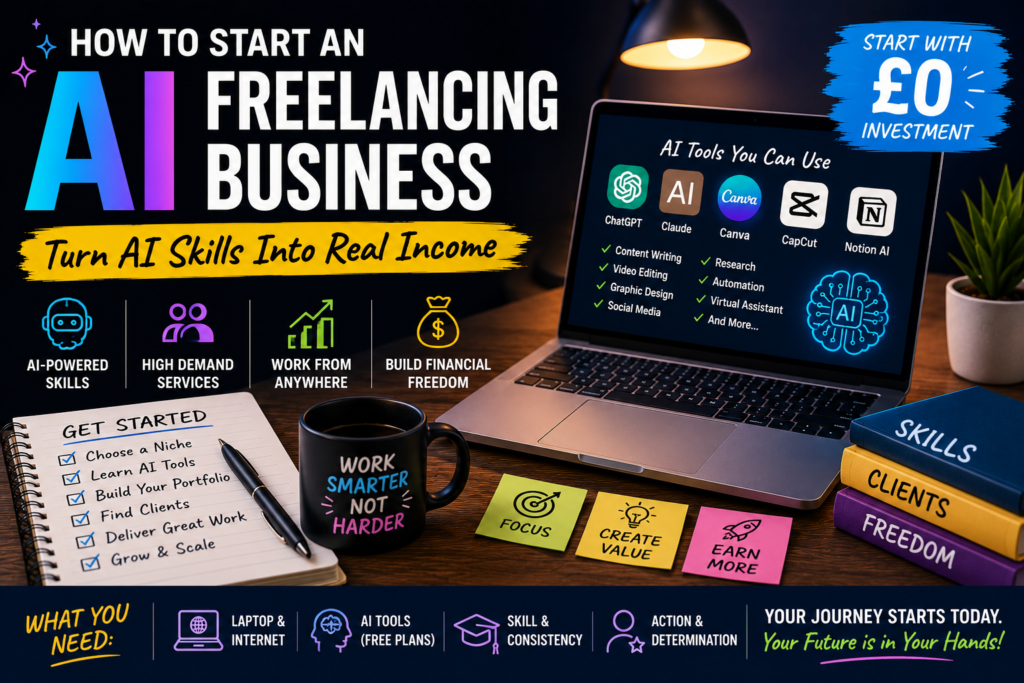
You don’t need a huge audience, expensive software or years of experience to start freelancing with AI. Here’s how to turn AI-assisted skills into a real freelance business-without falling for the “get rich quick” hype.
There was a time when starting a freelance business felt complicated.
You needed a website.
A professional portfolio.
Expensive software.
Years of experience.
Maybe even a degree or some impressive qualifications.
Today, the barrier to entry is much lower.
AI has changed the way people work, and it has created opportunities for freelancers who know how to use these tools properly.
You can use AI to help write content, edit videos, create designs, conduct research, organise information, build presentations, manage social media and complete many other tasks.
But there’s an important catch.
Knowing how to use AI isn’t enough.
If you want to build a freelance business, you need to understand what clients actually want.
They don’t want to buy “AI.”
They want a blog post that brings in readers.
They want videos edited.
They want their social media managed.
They want boring tasks automated.
They want their CV improved.
They want work completed faster and to a good standard.
That’s where the opportunity is.
You can use AI behind the scenes to become more productive while selling a human-led service to your clients.
This guide will walk you through exactly how to approach it.
What Is an AI Freelancing Business?
An AI freelancing business is essentially a normal freelance business where you use artificial intelligence to make your work faster, more efficient or more effective.
You might use AI for:
- Brainstorming
- Research
- Writing
- Editing
- Image generation
- Video editing
- Data organisation
- Transcription
- Customer support
- Automation
- Content creation
- Coding
- Project planning
The important word is freelancing.
You’re still providing a service to a real customer.
For example, you might offer:
“I create 12 social media posts for small businesses every month.”
AI might help you research topics, brainstorm ideas and create first drafts.
But you’re responsible for:
- Understanding the business
- Choosing the right ideas
- Editing the content
- Checking facts
- Making the content sound natural
- Delivering it on time
That’s a legitimate service.
Do You Need to Be an AI Expert?
No.
You don’t need to understand how AI models are trained.
You don’t need to build your own AI system.
You don’t need to know complicated programming.
And you definitely don’t need to know every AI tool that exists.
What you do need is enough knowledge to use the tools effectively for a specific task.
Think of it this way.
You don’t need to know how a camera is manufactured to become a photographer.
You need to know how to use the camera.
The same principle applies to AI.
The Biggest Mistake Beginners Make
A lot of beginners start by asking:
“What AI service can I sell?”
I’d approach it differently.
Ask:
“What problem can I solve for someone using AI?”
That’s a much better question.
For example:
Weak offer
“I use AI to write content.”
Better offer
“I help small businesses create a month’s worth of social media content.”
Weak offer
“I do AI video editing.”
Better offer
“I turn long podcasts into short-form videos for TikTok, Instagram and YouTube Shorts.”
Weak offer
“I make AI graphics.”
Better offer
“I create promotional graphics and social media content for local businesses.”
The second versions are much easier for a potential customer to understand.
Why Businesses Hire Freelancers
Businesses generally don’t hire freelancers because they like the idea of giving money away.
They hire them because freelancers solve problems.
Maybe the business owner:
- Doesn’t have enough time.
- Doesn’t know how to do something.
- Needs specialist skills.
- Has too much work.
- Wants something done faster.
- Doesn’t want to hire a full-time employee.
If you can solve one of those problems, you have something worth selling.
10 AI Freelancing Services You Could Offer
Let’s look at some practical options.
1. AI-Assisted Content Writing
You could write:
- Blog posts
- Website content
- Product descriptions
- Emails
- Newsletters
- Social media captions
- Articles
- Video scripts
AI can help with brainstorming and drafting, but your value comes from editing, fact-checking, research and understanding the client’s audience.
2. Social Media Management
You could create monthly content packages for businesses.
For example:
Monthly Package
- 20 social media posts
- Captions
- Content ideas
- Content calendar
- Basic graphics
- Short-form video concepts
AI can help you generate ideas and organise the work.
You provide the strategy and human touch.
3. AI Video Editing
Video is an excellent area for freelancers.
You could offer:
- TikTok editing
- Instagram Reels
- YouTube Shorts
- Podcast clips
- YouTube videos
- Promotional videos
AI-assisted editing can speed up things like transcription, captioning and repetitive tasks.
You still need to make the final video interesting.
4. AI Graphic Design
You could create:
- Social media graphics
- Flyers
- Posters
- Presentations
- YouTube thumbnails
- Menus
- Advertisements
- Simple business documents
You don’t have to call yourself an “AI designer.”
You’re a designer who uses modern tools.
That distinction matters.
5. AI Research Services
You could help businesses and creators organise research.
For example:
- Competitor research
- Market research
- Topic research
- Content research
- Industry reports
- Product research
AI can help you process large amounts of information.
But always verify important information before delivering it to a client.
6. CV and Cover Letter Services
You could help job seekers improve their:
- CV
- Cover letter
- LinkedIn profile
- Interview preparation
- Job application wording
AI can help identify weak wording and suggest improvements.
But you should never invent qualifications, experience or achievements.
Everything should remain truthful.
7. AI Presentation Design
Businesses constantly create presentations.
You could help create:
- Sales presentations
- Pitch decks
- Training presentations
- Educational slides
- Company presentations
AI can help with outlines and ideas while you handle structure, design and clarity.
8. Content Repurposing
This is one of my favourite options.
A client gives you one long piece of content.
You turn it into multiple pieces.
For example:
One podcast
→ 5 short videos
→ 10 social posts
→ 1 newsletter
→ 1 blog outline
→ 10 quote graphics
You’re helping the client get more value from content they’ve already created.
9. AI Virtual Assistance
You could offer administrative services supported by AI.
For example:
- Email organisation
- Meeting summaries
- Document organisation
- Research
- Data entry
- Scheduling assistance
- Content planning
- Customer enquiry drafts
The key is to keep a human involved where accuracy or judgement matters.
10. AI Automation Services
This is a more advanced option.
You could help businesses automate repetitive processes.
For example:
A customer fills out a form.
↓
The information is organised.
↓
An AI system summarises the enquiry.
↓
The relevant information is sent to the appropriate person.
↓
A draft response is prepared.
Instead of doing everything manually, the business has a workflow.
This can potentially be a valuable service because you’re solving a business efficiency problem rather than simply producing content.
Which AI Freelancing Service Should You Choose?
Don’t choose based purely on what looks profitable online.
Choose something that matches your strengths.
Ask yourself:
Do I enjoy writing?
Try content.
Do I enjoy video?
Try editing.
Do I enjoy design?
Try graphics.
Do I enjoy organising information?
Try research or virtual assistance.
Do I understand business?
Try automation.
Do I enjoy social media?
Try content management.
You don’t need to be amazing at everything.
You need to become useful at one thing.
Start With One Service
This is important.
Don’t launch your business saying:
“I offer AI writing, AI design, AI video editing, AI marketing, AI research, AI consulting, AI automation and AI web development.”
It sounds like you’re trying to do everything.
Instead, start with one clear offer.
For example:
“I edit short-form videos for small creators.”
That’s simple.
Once you’ve gained experience, you can expand.
Pick a Niche
You don’t necessarily need a niche forever.
But choosing one initially can make finding customers much easier.
Instead of targeting:
“Businesses”
you could target:
“Local restaurants.”
Instead of:
“Content creators”
you could target:
“Fitness YouTubers.”
Instead of:
“Companies”
you could target:
“Small estate agencies.”
The more specific you are, the easier it becomes to understand your customer’s problems.
Why Niching Down Works
Imagine you’re a fitness coach.
You receive two messages.
Freelancer A
“Hi, I offer AI-powered content services for businesses.”
Freelancer B
“Hi, I help fitness coaches turn their existing videos into short-form content for Instagram and TikTok.”
Which freelancer sounds like they understand your business?
Probably Freelancer B.
They’ve told you:
- Who they help
- What they do
- What result they provide
That’s powerful.
How to Find a Profitable Niche
Look for groups of people who:
- Have money to spend.
- Have a problem.
- Experience that problem regularly.
- Could benefit from your service.
- Are easy enough to reach.
For example, creators are constantly producing content.
That means video editing and content repurposing can solve an ongoing problem.
A business that needs social media content every month could potentially become a recurring client.
Recurring problems can create recurring revenue.
Create Your Offer
Once you’ve chosen your service and target customer, package it into an offer.
Let’s say you’ve chosen video editing.
Instead of saying:
“I edit videos.”
Try:
“I turn one long-form video into five engaging Shorts with captions, cuts and platform-ready formatting.”
Now the client knows exactly what they’re getting.
Make Your Offer Easy to Understand
A good offer answers three questions:
What do you do?
Who is it for?
What do they receive?
For example:
I help small YouTubers turn their long-form videos into short-form content. Each month, I create 12 edited Shorts with captions, hooks and platform-ready formatting.
That’s much clearer than:
“AI-powered video solutions.”
How Much Should You Charge?
There’s no universal price.
Your pricing depends on:
- Your experience
- The complexity of the work
- How long it takes
- The quality you provide
- The customer’s budget
- The value of the outcome
- Your niche
- Your reputation
When you’re starting, you might charge less while building experience.
But don’t make the mistake of thinking:
“I’m new, so I should work for free forever.”
You don’t need to.
Don’t Automatically Charge by the Hour
Hourly pricing can make sense in some situations.
But project or package pricing can sometimes be easier for both sides.
For example:
Option A
£15 per hour.
Option B
£100 for a package of five edited videos.
If you become faster because of AI, you can potentially complete the package more efficiently without having to reduce your price simply because you became more productive.
Your AI Advantage
Here’s where AI can become genuinely powerful.
Suppose you charge £100 for a project.
Initially, it takes you four hours.
Your effective revenue before other costs is:
£25 per hour.
After improving your workflow with AI, you can complete the same project in two hours.
Now you’re effectively earning:
£50 per hour of your time.
The customer is paying for the finished result.
You’re benefiting from improved efficiency.
That’s one of the biggest advantages of AI freelancing.
Don’t Use AI to Produce Cheap Work Faster
This is where things can go wrong.
AI makes it possible to produce terrible work extremely quickly.
That’s not useful.
Your goal should be:
Use AI to improve productivity without sacrificing quality.
AI handles some of the repetitive work.
You handle judgement and quality control.
The Human Part Is Still Extremely Important
Let’s say AI generates a social media post.
It might be grammatically correct.
But does it actually sound like the business?
Does it understand their customers?
Does it fit their brand?
Is the claim accurate?
Is it interesting?
Would anyone actually want to read it?
Those are human questions.
And that’s where your value comes in.
How to Humanise AI-Generated Work
This is one of the most important skills you can develop.
Don’t simply copy AI output.
Instead:
1. Remove generic language
AI often loves phrases like:
“In today’s rapidly changing world…”
Most of the time, you don’t need it.
Start with the actual point.
2. Add specific examples
Instead of:
“Social media can help businesses.”
Try:
“A local barber could turn one customer transformation into a before-and-after Reel, a haircut tip and an appointment reminder.”
Specific details make writing feel real.
3. Add personality
Don’t be afraid to have an opinion.
For example:
“Personally, I wouldn’t spend money on ten different AI subscriptions when you’re just starting out.”
That sounds much more human.
4. Check the facts
Never assume AI is correct simply because it sounds confident.
5. Edit the rhythm
Real people don’t always write perfect sentences of exactly the same length.
Mix short and long sentences.
Make it conversational.
Build Your Portfolio
This is the part that scares many beginners.
They think:
“How can I build a portfolio if nobody has hired me?”
Simple.
Create sample projects.
You don’t need to wait for permission.
Example Portfolio for a Video Editor
Create:
Sample 1
A podcast clip.
Sample 2
A fitness video.
Sample 3
A business promotional video.
Sample 4
A YouTube Short.
That’s enough to demonstrate what you can do.
Be honest that they’re sample projects.
Don’t pretend they’re paid client work.
Example Portfolio for a Writer
Create:
- One blog post
- Three social media posts
- One email
- One product description
- One landing page
Choose a specific niche.
For example, create everything for a fictional fitness business.
Now your portfolio looks focused.
Example Portfolio for a Designer
Create:
- Instagram graphics
- Flyer
- Poster
- Menu
- Promotional banner
- YouTube thumbnail
Again, choose a niche.
Your Portfolio Doesn’t Need to Be Fancy
You don’t need an expensive website.
You could start with a simple online portfolio containing:
- Your name
- What you do
- Who you help
- Examples
- Services
- Contact information
That’s enough.
The work matters more than the fancy design.
Where to Find Freelance Clients
There are several places you can look.
Freelance Marketplaces
Platforms designed to connect freelancers with customers can help beginners find potential work.
The competition can be high, so don’t rely entirely on them.
Social Media
You can find potential clients on:
- TikTok
- YouTube
Look for people already doing the thing you want to help with.
Local Businesses
This is particularly useful if you’re starting out.
Find businesses in your area that could benefit from your service.
For example:
- Restaurants
- Gyms
- Barbers
- Hairdressers
- Estate agents
- Tradespeople
- Tutors
- Shops
Your Existing Network
Tell people what you’re doing.
You might know someone who knows someone who owns a business.
Your first client doesn’t have to come from a massive freelancing platform.
How to Approach Potential Clients
Don’t send:
“Hello. I am an AI freelancer. Do you need my services?”
It’s generic.
Instead, personalise your message.
For example:
“Hey, I came across your Instagram and noticed you’ve got some really good videos, but you’re not posting many short clips. I put together a quick example of how one of your videos could be turned into a Short. If you’d like, I can show you.”
That’s much more relevant.
Don’t Send Spam
You don’t need to message 500 people a day.
Find businesses that genuinely look like they could benefit from your service.
Send a thoughtful message.
Then move on.
You might get ignored.
That’s normal.
You might get a “no.”
Also normal.
You’re looking for the people who say:
“Actually, tell me more.”
Give Value Before Asking for Money
You don’t necessarily need to give away hours of free work.
But you can demonstrate your ability.
For example:
- Create a sample graphic.
- Edit a short sample.
- Rewrite one social media caption.
- Suggest three content ideas.
- Identify a problem with their current workflow.
Show them what you can do.
Don’t Work for Free Forever
This is another common beginner trap.
You offer:
“I’ll do the first month completely free.”
Then the client keeps asking for more.
Suddenly you’ve spent 30 hours working for nothing.
A better approach might be:
“I’m currently building my portfolio, so I’m offering a small introductory package at a reduced rate.”
Now you’re still being compensated.
Get Testimonials
Once you’ve completed a project and the client is happy, ask for feedback.
A simple testimonial can be powerful.
For example:
“The videos saved me hours every week and helped me stay consistent with posting.”
You can put testimonials in your portfolio.
Build Recurring Clients
This is where freelancing can become much more stable.
Instead of constantly finding new customers, you can create monthly services.
For example:
Social Media
12 posts every month.
Video Editing
20 Shorts every month.
Content Writing
4 blog posts every month.
Virtual Assistance
20 hours per month.
Recurring work means you don’t have to start from zero every month.
Turn One Client Into More Work
Don’t constantly chase new customers.
Pay attention to what your existing clients need.
For example:
You edit their videos.
Then you realise they need thumbnails.
You offer thumbnails.
Then you realise they need social media captions.
You offer captions.
You’ve increased the value of your relationship without finding another customer.
Use AI to Build Your Workflow
Once you’re getting clients, create a repeatable system.
For example:
Step 1: Client sends brief
↓
Step 2: AI helps organise requirements
↓
Step 3: Research
↓
Step 4: AI helps with initial ideas
↓
Step 5: You create the work
↓
Step 6: AI assists with quality checks
↓
Step 7: You manually review everything
↓
Step 8: Deliver to client
↓
Step 9: Collect feedback
↓
Step 10: Improve workflow
The more repeatable your process becomes, the easier it is to scale.
Create Templates
Templates can save enormous amounts of time.
Create templates for:
- Client onboarding
- Briefs
- Proposals
- Invoices
- Emails
- Content calendars
- Reports
- Project checklists
Then you’re not reinventing everything for every client.
Create Prompt Libraries
If you’re repeatedly doing similar work, keep a library of useful prompts.
For example:
Content Research Prompt
A structured prompt for researching a topic.
Editing Prompt
A prompt for identifying unclear sections.
Social Media Prompt
A framework for generating content ideas.
Client Brief Prompt
A prompt for turning messy notes into an organised brief.
Don’t treat prompts as magic.
The real value is the workflow around them.
AI Tools You Might Use
You don’t need all of these.
Your toolkit depends on your service.
But your workflow might involve categories such as:
AI Chatbots
For:
- Brainstorming
- Writing
- Research assistance
- Planning
Design Tools
For:
- Graphics
- Presentations
- Social media
Video Tools
For:
- Editing
- Captions
- Transcription
- Repurposing
Automation Tools
For:
- Connecting apps
- Moving information
- Automating repetitive tasks
Productivity Tools
For:
- Project management
- Notes
- Client communication
Start with free options where possible.
Upgrade only when you have a reason.
Don’t Buy Every AI Tool You See
This is a trap.
You’ll see:
“NEW AI TOOL THAT DOES EVERYTHING!”
Then:
“This AI tool replaces five employees!”
Then:
“You NEED this tool.”
You probably don’t.
If you’re making £0, spending hundreds of pounds on subscriptions isn’t going to magically create customers.
Get the client first.
Then invest in tools that save you meaningful amounts of time.
How to Handle Client Data
This is an area beginners shouldn’t ignore.
Clients may give you confidential information.
Think carefully before putting sensitive business or personal information into an AI system.
You should understand the privacy and data-handling rules of the tools you’re using and follow your client’s requirements.
If you’re unsure whether information is appropriate to upload, don’t casually put it into an AI tool.
Don’t Let AI Make Decisions That Require Human Responsibility
AI can assist.
But there are areas where you need to be particularly careful.
For example:
- Legal advice
- Medical information
- Financial decisions
- Employment decisions
- Sensitive personal information
If your freelance service touches these areas, make sure you understand the relevant responsibilities and don’t present AI-generated information as professional advice when you aren’t qualified to provide it.
What If the Client Asks, “Do You Use AI?”
Be honest.
There’s no reason to lie.
You can explain that you use AI-assisted tools to improve efficiency while maintaining human review and quality control.
For example:
“Yes. I use AI-assisted tools for parts of my research and production workflow, but I personally review and edit the final work to make sure it meets your requirements.”
That’s professional.
Your Client Is Paying for Your Judgment
This is worth repeating.
If AI can generate 100 captions in ten seconds, why would someone pay you?
Because they don’t want 100 random captions.
They want the right 12 captions for their business.
That’s the difference.
AI gives you possibilities.
You provide judgement.
How to Become Better Than Other AI Freelancers
Don’t compete only on price.
That’s a race to the bottom.
Instead, become better at:
Understanding the niche
Know your customer’s world.
Communication
Respond clearly and professionally.
Reliability
Meet deadlines.
Quality
Deliver work that actually helps.
Speed
Use AI to work efficiently.
Strategy
Understand why the work matters.
That’s how you become difficult to replace.
The Importance of Communication
You can be an incredible freelancer technically.
But if you:
- Disappear for days
- Miss deadlines
- Ignore instructions
- Send confusing messages
- Don’t ask questions
- Don’t communicate problems
clients won’t want to work with you.
Being easy to work with is a competitive advantage.
Always Clarify the Brief
Before starting a project, make sure you understand:
- What does the client want?
- Who is the audience?
- What is the deadline?
- What format do they need?
- What style do they prefer?
- How many revisions are included?
- What does success look like?
A five-minute conversation at the beginning can prevent hours of frustration later.
Set Boundaries
Freelancers sometimes feel like they have to say yes to everything.
You don’t.
Be clear about:
- Deadlines
- Number of revisions
- Scope of work
- Payment
- Communication
- Delivery format
For example:
“This package includes two rounds of revisions.”
That’s much better than having endless changes.
Don’t Forget About Taxes and Business Responsibilities
If you start earning money as a freelancer, don’t ignore the administrative side.
Depending on where you live and how your business is structured, you may have responsibilities around:
- Tax
- Record keeping
- Invoices
- Business registration
- Contracts
- Data protection
- Insurance
If you’re unsure about your obligations, get appropriate professional or official guidance.
Making money is great.
Finding out later that you’ve ignored an important responsibility is not.
What If You’re Under 18?
If you’re a younger person wanting to start freelancing, there can be additional considerations around contracts, payments, platforms and business arrangements.
Don’t assume every freelance platform or payment service works the same way for minors.
You may need a parent or guardian involved depending on the service and local rules.
The important thing is to check the requirements before accepting paid work.
Your First 30 Days
If I were starting an AI freelancing business from scratch, I’d keep the first month simple.
Days 1-3: Choose Your Service
Pick one.
Don’t spend three days researching 50 possibilities.
Days 4-7: Learn
Practise the skill.
Create things.
Make mistakes.
Improve.
Days 8-14: Build Your Portfolio
Create three to five strong examples.
Days 15-17: Create Your Offer
Decide:
- Who you help
- What you do
- What they receive
- How much you charge
Days 18-30: Find Clients
Contact potential customers.
Every day, spend some time:
- Finding prospects
- Sending personalised messages
- Improving your portfolio
- Practising your skill
Your first month is about getting into motion.
A Simple Daily Routine
You don’t need to work 12 hours a day.
If you’re starting part-time, even a couple of focused hours can be useful.
For example:
30 minutes
Learn/practise.
30 minutes
Improve portfolio or workflow.
30 minutes
Find potential clients.
30 minutes
Send personalised outreach.
As your workload grows, shift more time toward client work.
How to Scale Your Freelancing Business
Eventually, you may reach a point where you have more work than you can handle.
That’s a good problem.
You have several options.
Option 1: Raise Your Prices
If demand is strong and your work is good, you can charge more.
Option 2: Improve Your Workflow
Use AI and automation to reduce the time required.
Option 3: Narrow Your Service
Become a specialist.
Option 4: Hire Freelancers
You handle clients and strategy while other people help deliver the work.
Option 5: Create Products
Turn your knowledge and processes into:
- Templates
- Courses
- Guides
- Software
- Resources
That’s when a freelance business can begin evolving into something larger.
The Journey Might Look Like This
£0
↓
Learn a skill
↓
Create portfolio
↓
First client
↓
First £100
↓
More clients
↓
Recurring clients
↓
Better systems
↓
Higher prices
↓
Hire help
↓
Build a business
↓
Create products/assets
That’s not guaranteed.
But it’s a much more realistic path than:
Download AI → press button → become millionaire.
Common AI Freelancing Mistakes
Mistake #1: Offering Everything
Specialise first.
Mistake #2: Using Raw AI Output
Always review and improve.
Mistake #3: Competing Only on Price
Compete on value.
Mistake #4: Spending Money Before Making Money
Keep your costs low.
Mistake #5: Waiting for a Perfect Portfolio
Start with sample projects.
Mistake #6: Ignoring Sales
You need customers.
Mistake #7: Overpromising
Only promise what you can deliver.
Mistake #8: Treating AI as an Expert
Verify important information.
Mistake #9: Copying Other Freelancers
Learn from competitors, but develop your own offer.
Mistake #10: Giving Up Too Early
Your first few attempts may not work.
Learn and adjust.
How AI Can Give You an Unfair Advantage
Let’s say two freelancers have similar skill levels.
Freelancer A does everything manually.
Freelancer B uses AI to:
- Brainstorm
- Research
- Organise
- Draft
- Transcribe
- Summarise
- Automate repetitive tasks
Freelancer B may be able to deliver work faster.
That creates an advantage.
But remember:
Speed isn’t the final product.
If Freelancer A delivers better work, clients may still choose them.
The ideal combination is:
AI efficiency + human quality.
Don’t Build an “AI Business.” Build a Business That Uses AI.
This might sound like a small difference.
It isn’t.
An “AI business” often focuses too much on the technology.
A real business focuses on the customer.
Instead of:
“I have an amazing AI tool.”
Think:
“My customers have this problem. AI helps me solve it efficiently.”
That mindset will keep you grounded.
The Long-Term Opportunity
The biggest opportunity may not be simply becoming an AI freelancer.
It could be using freelancing as your starting point.
You learn:
- What businesses need
- What customers will pay for
- How to sell
- How to deliver
- How to use AI
- How to build systems
Then you can use that knowledge to create something bigger.
Maybe an agency.
Maybe software.
Maybe a digital product.
Maybe a content brand.
Maybe a completely different business.
Freelancing can be your laboratory.
Final Thoughts: Start Small, But Take It Seriously
Starting an AI freelancing business doesn’t have to be complicated.
You don’t need to build the next giant technology company.
You don’t need to know every AI tool.
You don’t need thousands of followers.
And you don’t need to spend thousands of pounds.
Start with one useful skill.
Choose one type of customer.
Find one problem.
Create one clear offer.
Build a few examples.
Then start talking to potential clients.
Your first project might only be worth £20, £50 or £100.
That’s okay.
You’re not just earning money.
You’re learning how business works.
You’re learning how to communicate with clients.
You’re learning what people actually value.
You’re learning how to deliver work.
And you’re learning how AI can fit into a real workflow rather than just being another tool you play around with.
The Bottom Line
AI won’t build your freelance business for you.
But it can make you considerably more productive once you know what you’re doing.
The winning formula isn’t:
AI + no skills + no effort = money.
It’s closer to:
Useful skill + real problem + good service + AI efficiency + consistent effort = opportunity.
That’s a much less glamorous formula.
But it’s also much more realistic.
If you’re serious about getting started, don’t spend the next six months watching videos about AI freelancing.
Pick one service.
Learn it.
Create something.
Show someone.
Ask for feedback.
Find your first customer.
Then do it again.
Your goal isn’t to become an “AI expert.”
Your goal is to become someone who can use AI to solve a problem that another person is happy to pay you to solve.
That’s where an AI freelancing business really begins.