Video is everywhere.
Open TikTok and you’ll see it.
Scroll through Instagram and you’ll see it.
Go on YouTube and you’ll see it.
Even businesses that used to rely almost entirely on websites and traditional advertising are now using short videos to get attention.
And there’s a simple reason for that:
People love watching video.
The problem is that creating good video content takes time.
Recording the footage might only take 30 minutes, but turning that footage into something people actually want to watch can take hours.
You have to cut the boring parts.
Remove awkward pauses.
Add captions.
Choose music.
Improve the audio.
Add graphics.
Find the best moments.
Create a thumbnail.
Export the video.
Then, if you’re working with short-form content, you might have to do it all over again for another five, ten or twenty clips.
That’s where AI becomes interesting.
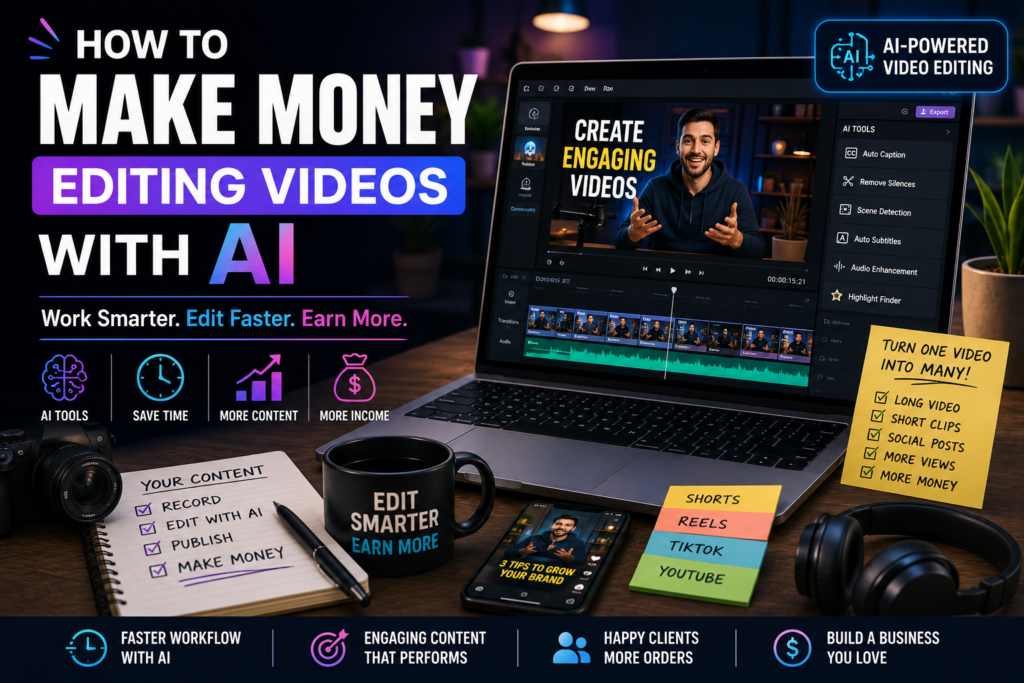
AI video tools can help with things like transcription, captions, removing silences, finding clips, generating ideas, improving audio and speeding up repetitive editing tasks.
And that creates a genuine opportunity for people who want to make money editing videos.
You don’t necessarily need an expensive computer.
You don’t need to spend years becoming a professional filmmaker.
And you don’t need to know every advanced editing technique before you start.
You do, however, need to understand what makes a video worth watching.
Because here’s the thing:
AI can help you edit a video faster. It can’t automatically make a boring video interesting.
That’s where you come in.
In this guide, we’ll explore realistic ways to make money editing videos with AI, what services you can offer, who your potential customers are, how to find your first client, how to price your work and how to turn video editing into a real business.
Can You Really Make Money Editing Videos With AI?
Yes.
But let’s get one thing out of the way first.
AI isn’t going to magically make you a successful video editor.
There are already plenty of people offering video editing services, and AI has actually made it easier for more people to enter the industry.
That means simply saying:
“I use AI to edit videos.”
isn’t a particularly strong selling point.
A client doesn’t really care what software you used.
They care about the result.
They want a video that:
- Looks professional
- Keeps viewers interested
- Communicates a message
- Gets attention
- Represents their brand
- Saves them time
- Helps them grow
So your offer shouldn’t be:
“I’ll use AI to edit your video.”
It should be:
“I’ll turn your long videos into engaging short-form clips that you can post throughout the week.”
That’s a service people can understand.
Why Video Editing Is Such a Good AI Opportunity
Video editing has always involved a lot of repetitive work.
Think about a one-hour podcast.
There could be:
- Long pauses
- Repeated sentences
- Mistakes
- Background noise
- Interesting moments
- Boring sections
- Multiple topics
- Several potential short clips
A human editor could spend hours going through the entire recording.
AI can help identify and process some of these elements much faster.
That doesn’t mean the editor becomes unnecessary.
It means the editor can spend more time on the parts that actually require judgment.
And that’s the opportunity.
Use AI for the repetitive work. Use your brain for the creative work.
The Best Types of Video Editing Services to Sell
You don’t need to offer every possible video editing service.
In fact, specializing in one type of video can make it much easier to find customers.
Here are some of the most interesting options.
1. Short-Form Video Editing
Short-form content is one of the easiest services to understand.
Creators and businesses need videos for platforms such as:
- TikTok
- Instagram Reels
- YouTube Shorts
- Other short-form platforms
The raw footage might be a podcast, interview, livestream or talking-head video.
Your job is to turn it into something short, engaging and easy to watch.
You could provide:
- Captions
- Jump cuts
- Zoom effects
- Sound effects
- Music
- B-roll
- On-screen text
- Transitions
- Hook improvements
- Formatting for mobile
AI can help speed up transcription, captioning and parts of the editing workflow.
You then polish the final video.
2. Turn Podcasts Into Short Clips
This is one of the most useful services you can offer.
Podcasters often have hours of content sitting on their hard drives.
One episode could potentially contain several excellent clips.
The problem is finding them.
That’s where an editor can help.
Imagine a podcast episode is 60 minutes long.
Instead of delivering one video, you could turn it into:
1 full podcast
plus
5–10 short clips
plus
social media captions
plus
thumbnail ideas
Suddenly, you’re not simply selling video editing.
You’re helping the creator get more content from the work they’ve already done.
That’s a much stronger value proposition.
3. YouTube Video Editing
Long-form YouTube videos require more work than short clips.
You may need to handle:
- Cutting footage
- Pacing
- B-roll
- Graphics
- Captions
- Audio
- Music
- Transitions
- Story structure
- Visual effects
AI can help with some repetitive tasks, but human judgment becomes even more important here.
A good YouTube editor understands pacing.
They know when a scene is dragging.
They know when to cut.
They know when to let a moment breathe.
They understand that viewers don’t need to see every second of the recording.
That’s a valuable skill.
4. Talking-Head Video Editing
You don’t need complicated footage to create a marketable editing service.
Many creators simply sit in front of a camera and talk.
That sounds easy.
It isn’t always.
A good editor can turn a basic talking-head recording into something much more engaging.
You can add:
- Captions
- B-roll
- Graphics
- Zooms
- Cutaways
- Sound effects
- Music
- Text highlights
This works particularly well for:
- Coaches
- Consultants
- Educators
- Entrepreneurs
- Personal brands
- Fitness creators
- Financial creators
- Business creators
5. Video Editing for Small Businesses
Don’t overlook businesses.
A small business may not have a dedicated content team.
The owner might know they need videos but simply doesn’t have the time to make them.
You can offer to handle the editing.
For example, a restaurant could send you footage of:
- Food preparation
- New dishes
- Customers
- Behind-the-scenes moments
- Staff
- Special offers
You turn that raw footage into short promotional videos.
The restaurant gets content.
You get paid.
Simple.
6. Real Estate Video Editing
Real estate agents need video content too.
You could edit:
- Property tours
- Walkthroughs
- Agent introductions
- Local area videos
- Property highlights
- Short-form promotional clips
For example, an estate agent might send you a 10-minute property walkthrough.
You could create:
One full property video
and
three short social media clips
from the same footage.
That gives the agent more content without requiring them to record more.
7. Gaming Video Editing
Gaming creators can also be potential clients.
Gaming content often produces lots of footage.
That means creators need someone to identify the best moments.
You could edit:
- Highlights
- Funny moments
- Reaction clips
- Gameplay videos
- Shorts
- Compilations
The challenge is understanding the culture of the specific gaming audience.
A great gaming editor needs to understand why a moment is funny or exciting.
Technical editing alone isn’t enough.
8. Sports Content Editing
Sports creators, clubs and coaches can need video content for social media.
You might edit:
- Match highlights
- Training clips
- Player interviews
- Motivational videos
- Promotional videos
- Short-form content
This can be particularly useful for smaller organizations that don’t have a full-time video team.
9. Educational Video Editing
Teachers, tutors and online educators are increasingly using video to explain concepts.
You could help transform raw recordings into polished educational content.
For example:
A tutor records a 30-minute lesson.
You turn it into:
- A polished lesson video
- Short revision clips
- Captioned snippets
- Social media content
That makes the original recording much more useful.
10. Video Repurposing
This might be one of the most valuable services you can offer.
The concept is simple:
Take one piece of content and turn it into many pieces of content.
For example:
One podcast episode
↓
Full YouTube video
↓
8 short videos
↓
10 social media quotes
↓
1 newsletter
↓
1 blog post
↓
Multiple promotional graphics
You’re helping the creator get more value from content they’ve already created.
That’s a powerful business model.
How AI Can Help You Edit Videos Faster
Now let’s talk about the actual workflow.
AI can assist with several stages of video editing.
Transcription
Instead of manually listening to an entire video to understand what’s being said, transcription tools can convert speech into text.
That makes it easier to search for specific moments.
Captions
Captions are important for short-form content because many people watch videos without sound.
AI-powered transcription can make caption creation much faster.
You still need to review them.
Names and unusual words can easily be misinterpreted.
Removing Silences
Long pauses can make videos feel slow.
Some AI-assisted editors can identify silences and help speed up the cleanup process.
You can then review the cuts manually.
Finding Highlights
AI can help identify potentially interesting sections of longer recordings.
This is especially useful for podcasts and interviews.
But don’t blindly trust the suggestions.
You know the audience better than the algorithm.
Audio Enhancement
AI-powered audio tools can help clean up certain types of background noise and improve speech clarity.
That’s particularly useful when clients don’t have perfect microphones.
Background Removal
Some tools can help separate a person from their background.
This can be useful for:
- Presentations
- Social media videos
- Advertisements
- Educational content
The AI Video Editing Workflow
Here’s what a simple workflow could look like.
Step 1: Receive the footage
The client sends you the raw recording.
Step 2: Review the footage
Understand the topic and purpose.
Step 3: Use AI-assisted tools
Generate a transcript, identify potential highlights and handle repetitive tasks.
Step 4: Select the best moments
This is where your judgment matters.
Step 5: Edit the video
Add cuts, captions, B-roll, music and graphics.
Step 6: Review everything
Check:
- Spelling
- Captions
- Audio
- Timing
- Visual quality
- Branding
Step 7: Export
Deliver the finished video in the appropriate format.
Step 8: Get feedback
Ask the client what they liked and what they want changed.
Then improve.
Don’t Let AI Do Everything
This is one of the biggest lessons you can learn.
If you let AI make every creative decision, your videos can start to feel generic.
AI doesn’t know your client’s personality.
It doesn’t automatically understand their audience.
It doesn’t necessarily know which joke should stay in the video.
It doesn’t know the story behind a particular moment.
You do.
Use AI for efficiency.
Use yourself for taste.
That’s the combination that can make you valuable.
What Video Editing Skills Should You Learn?
You don’t need to master everything at once.
Start with the basics.
Cutting
Learn how to remove unnecessary footage without ruining the flow.
Pacing
Learn how quickly a video should move.
Captions
Learn how to make captions readable and visually appealing.
Audio
Learn how to make voices clear and balanced.
B-roll
Learn when to use supporting footage.
Storytelling
Learn how to keep viewers interested.
Colour
Understand basic colour correction and consistency.
Branding
Learn how to make videos match a client’s visual identity.
These skills will matter even if AI becomes much more powerful.
How to Find Your First Video Editing Client
This is where many beginners get stuck.
They spend months learning.
They watch tutorials.
They download software.
They practice.
But they never actually ask anyone to pay them.
Don’t make that mistake.
You don’t need to wait until you’re perfect.
You need to become good enough to provide a useful result.
Start With a Specific Niche
Instead of saying:
“I’m a video editor.”
Try:
“I edit short-form videos for fitness creators.”
Or:
“I turn podcasts into TikTok and YouTube Shorts.”
Or:
“I edit property videos for estate agents.”
That’s much easier for someone to understand.
Create a Portfolio Before You Have Clients
You might be thinking:
“How can I create a portfolio if nobody has hired me?”
Create sample projects.
Find footage you have permission to use or use your own recordings.
Create three to five examples.
For example:
Example 1
Talking-head short
Example 2
Podcast clip
Example 3
Business promotional video
Example 4
YouTube Short
Example 5
Property-style walkthrough
Now potential clients can see what you can do.
Make Your Portfolio About Results
Don’t just show random edits.
Explain what you were trying to achieve.
For example:
“I shortened a three-minute talking segment into a 35-second clip, added captions and restructured the opening to get to the main point faster.”
That demonstrates that you understand more than software.
You understand content.
How to Approach Potential Clients
You can contact creators and businesses through social media, email, networking and freelance platforms.
But don’t send the same generic message to everyone.
Personalize it.
Instead of:
“Hi, I’m a video editor. Do you need an editor?”
Try something like:
“Hey, I watched your recent podcast episode and noticed there were a few moments that would work really well as short clips. I edit long-form content into short videos for social media, so I thought I’d reach out.”
That sounds like you’ve actually looked at their content.
Because you have.
Give Potential Clients a Reason to Respond
If you can, demonstrate your skill.
For example, you could create a short sample from publicly available content where appropriate, respecting the creator’s rights and not misrepresenting it as paid work.
Then say:
“I made a quick example of how one of your clips could be edited for short-form.”
That’s much more powerful than saying you’re good at editing.
You’re showing them.
How Much Should You Charge?
This is where there is no single correct answer.
Your pricing depends on:
- Experience
- Quality
- Turnaround time
- Video length
- Complexity
- Number of revisions
- Client type
- Your market
- The value you provide
You could charge per video.
Or per batch.
Or monthly.
For example:
Per-video pricing
The client pays for each completed video.
Package pricing
The client purchases a set number of videos.
Monthly retainer
The client pays a recurring amount for ongoing editing.
The third option can be particularly attractive once you have reliable clients.
Why Monthly Packages Can Be Powerful
Imagine you find a creator who publishes four videos every week.
Instead of asking them to pay you separately for every video, you could offer:
Monthly Short-Form Package
- 20 edited clips
- Captions
- Basic graphics
- Consistent branding
- Monthly delivery
Now both sides know what they’re getting.
The client gets predictable costs.
You get recurring work.
That’s much better than constantly searching for your next project.
Don’t Compete Only on Price
When you’re new, it’s tempting to say:
“I’ll do it cheaper than everyone else.”
That can work temporarily.
But it can also attract customers who only care about getting the lowest possible price.
Instead, compete on:
Quality
Speed
Reliability
Communication
Specialization
Understanding the client’s audience
For example, being the editor who specializes in podcast-to-Shorts content can be more valuable than being the cheapest editor on the internet.
What Makes a Video Worth Watching?
This is the question that separates an editor from someone who simply knows how to use editing software.
A technically perfect video can still be boring.
A simple video can be incredibly engaging.
Why?
Because of the content.
The Hook
The beginning matters.
If nothing interesting happens in the first few seconds, people may scroll away.
Pacing
Don’t let the video drag.
Curiosity
Give viewers a reason to keep watching.
Emotion
Make them laugh, think, feel surprised or learn something.
Payoff
Give viewers something worth staying for.
AI can help you experiment with these elements.
But you need to understand them.
The Importance of the First Few Seconds
Short-form video is brutally competitive.
People can scroll away instantly.
That means your opening needs to make sense quickly.
Instead of starting with:
“Hey guys, welcome back to another video…”
you might start with:
“I wasted three years doing this completely wrong.”
Now the viewer has a reason to keep watching.
You can use AI to brainstorm hooks.
But the hook should match the actual content.
Don’t make promises the video doesn’t deliver.
Use AI to Create More Content From One Recording
This is one of the biggest advantages for clients.
Imagine a creator records a 45-minute interview.
You could turn it into:
1 full YouTube video
8 short clips
1 highlight compilation
Several quote graphics
A teaser
That’s a lot of content from one recording.
If you can provide this service efficiently, you’re solving a real problem.
Build a “Content Repurposing” Business
Rather than describing yourself as a video editor, you could position yourself as a:
Content Repurposing Specialist
Your job isn’t simply to edit.
Your job is to take existing content and turn it into a complete content package.
For example:
Client sends:
One podcast episode.
You deliver:
- Full edited episode
- 8 Shorts
- Captions
- Thumbnail
- Social media clips
- Quote graphics
Now you’re providing much more value.
AI + Video Editing + Social Media
This combination can be particularly powerful.
You could help businesses go from:
Raw footage
to
Finished videos
to
Social media content
to
Consistent posting
The more of the process you can handle, the more valuable your service becomes.
Potential Niches for an AI Video Editing Business
You don’t have to work with everyone.
Here are some niches you could explore:
Fitness
Trainers and fitness creators need workout clips, educational videos and promotional content.
Podcasts
Podcasters need clips constantly.
Real Estate
Agents need property tours and social media videos.
Gaming
Creators need highlights and entertaining edits.
Education
Tutors and teachers need educational content.
Business
Companies need advertisements, tutorials and promotional videos.
Personal Brands
Coaches and consultants need regular short-form content.
Restaurants
Food businesses can use short videos to showcase products.
Beauty
Hair stylists, makeup artists and salons have plenty of visual content opportunities.
Choose a niche you actually understand or are interested in.
It makes the work easier.
A Simple AI Video Editing Business Model
Here’s an example.
Starter Package
- 5 short-form videos
- Captions
- Basic cuts
- Basic branding
Growth Package
- 15 short-form videos
- Captions
- B-roll
- Sound effects
- Branding
- Multiple formats
Premium Package
- 30 short-form videos
- Long-form editing
- Short-form repurposing
- Captions
- Thumbnails
- Content suggestions
- Priority turnaround
The exact prices should depend on your experience and market.
Don’t copy someone else’s prices blindly.
Calculate how much time the work takes and make sure your pricing leaves room for profit.
How to Calculate Your Pricing
Suppose a project takes you four hours.
You want to earn the equivalent of £20 per hour.
That’s:
4 × £20 = £80
But that’s not necessarily the final price.
You also need to consider:
- Software costs
- Taxes
- Revision time
- Communication
- File management
- Marketing
- Unpaid work
- Equipment
Your actual business costs are higher than the time spent editing.
That’s why simply multiplying hours by a desired hourly rate isn’t always enough.
A 30-Day Plan to Start Making Money Editing Videos
If you’re starting from zero, here’s a realistic roadmap.
Week 1: Learn the Basics
Practice:
- Cutting
- Captions
- Audio
- Transitions
- B-roll
- Basic colour correction
- Exporting
Don’t try to learn every effect.
Focus on fundamentals.
Week 2: Learn AI-Assisted Workflows
Experiment with:
- Automatic transcription
- Caption generation
- Silence removal
- Highlight identification
- Audio enhancement
- Content repurposing
Your goal isn’t to let AI edit everything.
Your goal is to figure out:
Which boring tasks can I make faster?
Week 3: Build Your Portfolio
Create three to five excellent examples.
Pick one niche.
Make your portfolio look like you’re already working in that industry.
Week 4: Find Clients
Start contacting potential customers.
Aim for quality rather than sending hundreds of spam messages.
Show that you’ve looked at their content.
Explain how you could help.
Give them a reason to reply.
What If Nobody Responds?
This happens.
Don’t immediately assume you’re bad at video editing.
Look at the offer.
Maybe you’re contacting the wrong people.
Maybe your portfolio isn’t strong enough.
Maybe your message is too generic.
Maybe you’re offering something they don’t need.
Maybe your price doesn’t make sense.
Treat rejection as information.
Improve.
Try again.
How to Make Your AI-Assisted Editing Look Human
One of the biggest dangers of AI-assisted content is that everything starts looking the same.
The same captions.
The same transitions.
The same zoom effects.
The same sound effects.
The same stock footage.
The same pacing.
Eventually, viewers notice.
You don’t want your videos to scream:
“AI edited this.”
You want them to feel intentional.
Develop Your Own Editing Style
Maybe you prefer:
- Clean captions
- Fast cuts
- Minimal effects
- Strong storytelling
- Cinematic B-roll
- Humorous edits
- Bold typography
Develop a style.
Your style becomes part of your brand.
Don’t Overuse Effects
A transition isn’t automatically good just because it looks cool.
If every sentence has a zoom, shake, whoosh and animation, viewers may become distracted.
Good editing is often invisible.
The viewer should be focused on the story.
Not thinking:
“Wow, that’s a fancy transition.”
Learn to Tell a Story
This is probably the most valuable skill you can develop.
Even a 30-second video can have a story.
Beginning
Here’s the problem.
Middle
Here’s what happened.
End
Here’s the lesson or result.
When you understand storytelling, you stop being someone who simply cuts clips.
You become someone who shapes the content.
That’s far more valuable.
Common Mistakes Beginners Make
Mistake 1: Buying Too Much Equipment
You don’t need a £3,000 editing setup on day one.
Start with what you have.
Improve your equipment when your income justifies it.
Mistake 2: Learning Effects Instead of Editing
Fancy effects won’t save boring content.
Learn pacing, storytelling and audio first.
Mistake 3: Offering Everything
Don’t say:
“I edit TikToks, weddings, films, gaming, commercials, documentaries, podcasts and music videos.”
It makes you look unfocused.
Start with one service.
Mistake 4: Working for Free Forever
Doing a couple of free or discounted projects to build a portfolio can make sense.
Doing months of unpaid work doesn’t.
Your time has value.
Mistake 5: Ignoring Communication
You can be an incredible editor and still lose clients if you’re difficult to work with.
Reply to messages.
Meet deadlines.
Ask questions.
Tell clients when something is delayed.
Be professional.
Mistake 6: Not Saving Project Files Properly
Video projects can contain huge amounts of data.
Organize your files.
Use sensible naming conventions.
Back up important projects.
Nothing destroys your evening faster than losing a client’s footage.
How to Get Better Clients
As you become more experienced, you can start looking for clients who value quality rather than simply the cheapest possible editor.
Look for people who:
- Already create content
- Publish consistently
- Have an audience
- Understand the value of video
- Have a business
- Need regular content
- Want to grow
A creator who publishes three videos a week has a much greater potential need for an editor than someone who uploads once every six months.
Turn One Client Into More Work
If you do a good job, don’t immediately disappear after delivering the video.
Ask:
“Do you have more footage you’d like me to turn into short-form content?”
You might discover that they have:
- Old podcasts
- Unedited interviews
- Previous livestreams
- Webinars
- Tutorials
- Behind-the-scenes footage
That could turn a one-off project into ongoing work.
Ask for Referrals
If a client is happy, ask whether they know anyone else who might need similar help.
Something simple works:
“I’m glad you liked the videos. If you know another creator who needs help turning long-form content into Shorts, I’d really appreciate an introduction.”
You don’t need to make it awkward.
Happy clients can become one of your best marketing channels.
Can AI Replace Video Editors?
This is a reasonable question.
AI will almost certainly continue automating more parts of video production.
That’s not necessarily bad news.
It means you should focus on the parts that are harder to automate.
Learn:
Storytelling
Audience psychology
Branding
Creative direction
Communication
Strategy
Taste
Someone who only knows how to press buttons in an editing program is easier to replace.
Someone who understands why a video works is much harder to replace.
Think Like a Content Strategist
This is where you can move beyond basic editing.
Don’t just ask:
“How should I cut this video?”
Ask:
“Why should someone watch this?”
Then:
“Who is this video for?”
Then:
“What should the viewer do after watching it?”
Those questions make you more valuable.
The Future Opportunity: AI-Powered Content Agencies
Imagine building a business where clients send you raw footage.
Your team uses AI-assisted workflows to transform it into:
- Long-form videos
- Shorts
- Reels
- TikToks
- Captions
- Thumbnails
- Social media posts
You manage the strategy and quality.
AI helps with production.
Editors handle creative decisions.
That’s potentially much more scalable than being paid for every individual hour you spend editing.
You don’t have to start there.
But it’s useful to understand where the skill can eventually lead.
A Practical Example
Let’s say you decide to specialize in podcast editing.
You find a podcast with two episodes per month.
Each episode is about an hour.
You offer to turn every episode into:
- One polished long-form video
- Six short clips
- Captions
- Thumbnail
- Basic social media copy
Now you’re not simply selling editing.
You’re selling a content package.
The podcast gets more content.
You get recurring work.
AI helps you reduce the time spent on repetitive tasks.
And your editing skills make the final product look professional.
That’s a real business model.
The Most Important Question to Ask Yourself
Don’t ask:
“Which AI video editor should I use?”
Ask:
“What kind of video content can I become really good at producing?”
Tools change.
Skills remain.
One AI tool might be popular today and replaced by another tomorrow.
But if you understand:
- Storytelling
- Editing
- Pacing
- Marketing
- Audience psychology
you can adapt to whatever tools appear next.
Final Thoughts
Making money editing videos with AI isn’t about finding some secret button that automatically produces professional videos.
It’s about combining technology with a useful skill.
AI can help you edit faster.
It can help you find clips.
It can help generate captions.
It can clean up audio.
It can make repetitive tasks easier.
But the human side still matters.
You need to understand the audience.
You need to recognize a great moment.
You need to know when something feels boring.
You need to understand what the client is trying to achieve.
And you need to communicate.
That’s what turns video editing from a technical task into a business.
If you’re starting from zero, don’t try to become an expert at everything.
Pick one type of video.
Pick one audience.
Learn the fundamentals.
Create a portfolio.
Find a few potential clients.
Do excellent work.
Then improve.
You might start by editing five short videos for a small creator.
Eventually, you could be managing an entire content pipeline for businesses or creators.
And the interesting part is that AI can help you get there faster.
Don’t compete with AI. Learn how to work with it.
That’s the real opportunity.
Quick Recap: 15 Ways to Make Money Editing Videos With AI
| Method | Potential Customers |
|---|---|
| Short-form editing | Creators and businesses |
| Podcast clips | Podcasters |
| YouTube editing | YouTubers |
| Talking-head editing | Coaches and personal brands |
| Business videos | Small businesses |
| Real estate videos | Estate agents |
| Gaming videos | Gaming creators |
| Sports content | Clubs and sports creators |
| Educational videos | Teachers and tutors |
| Video repurposing | Content creators |
| Social media editing | Brands and businesses |
| Promotional videos | Local businesses |
| Webinar editing | Coaches and companies |
| Product videos | Online stores |
| Content packages | Creators and businesses |
The Bottom Line
You don’t need to be the world’s best video editor to start.
You need to be useful.
Find someone who has raw footage but doesn’t have the time or skills to turn it into good content.
Use AI to speed up the boring parts.
Use your creativity to make the final product better.
Deliver reliably.
Build relationships.
Then keep improving.
The goal isn’t to use AI to do less work.
The goal is to use AI to do more valuable work in less time.
And if you can consistently turn someone’s raw footage into content that people actually want to watch, there’s a very real business opportunity sitting in front of you.