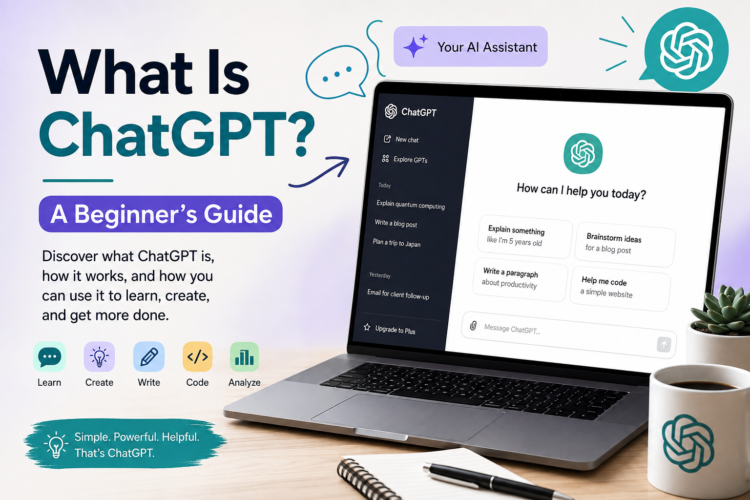
What Is ChatGPT? A Beginner’s Guide to How It Works and How to Use It
If you’ve heard people talking about ChatGPT but aren’t quite sure what it is, how it works, or what you can actually do with it, you’re not alone.
ChatGPT has become one of the most widely used AI tools for writing, learning, brainstorming, coding, research, and everyday tasks. But despite its popularity, many beginners still have questions:
- What exactly is ChatGPT?
- How does it generate answers?
- Is ChatGPT the same as a search engine?
- Can it make mistakes?
- What can you use it for?
- How do you write good prompts?
- Is ChatGPT free?
- How can you get better results from it?
This beginner-friendly guide answers those questions and shows you how to get started.
What Is ChatGPT?
ChatGPT is an AI assistant developed by OpenAI that can understand and generate natural-language responses.
You interact with it through a conversation. You can ask a question, give it instructions, provide text or other information, and then ask follow-up questions based on its response.
For example, you could ask:
“Explain compound interest like I’m 12 years old.”
ChatGPT can produce an explanation tailored to that request.
You could then continue:
“Now give me a simple example using $1,000.”
Because the interaction is conversational, you don’t necessarily have to start from scratch with every question.
ChatGPT can help with many different types of tasks, including writing, summarizing, brainstorming, explaining concepts, analyzing information, translating, creating outlines, and programming.
Who Created ChatGPT?
ChatGPT was created by OpenAI, an artificial intelligence research and technology company.
OpenAI develops AI models and products designed to help people work with information, language, code, images, and other forms of data.
ChatGPT is the product through which many people interact with OpenAI’s AI models.
What Does “GPT” Mean?
The name ChatGPT comes from two parts:
- Chat — because the system is designed for conversational interaction.
- GPT — short for Generative Pre-trained Transformer.
Let’s break down the second part.
Generative
The model generates new content in response to your instructions.
It doesn’t simply retrieve a paragraph from a database and paste it into the conversation. It generates an answer based on patterns learned during training and the information available to it in the current interaction and tools.
Pre-trained
Before an AI model can respond to users, it undergoes training on large amounts of data.
This training helps the model learn patterns in language, reasoning, code, and other forms of information.
Transformer
A transformer is a type of neural-network architecture that has become extremely important in modern AI.
You don’t need to understand the mathematics behind transformers to use ChatGPT. At a high level, transformers help AI models process relationships between pieces of information and predict what should come next in a sequence.
How Does ChatGPT Work?
The simplest explanation is that ChatGPT uses an AI model trained to recognize patterns in information and generate useful responses based on your instructions.
Imagine giving the system this request:
“Write a short introduction to electric cars for someone who knows nothing about them.”
ChatGPT analyzes the words in your request, considers the context and instructions, and generates a response that attempts to satisfy them.
Modern AI systems are considerably more sophisticated than simply predicting the next word in isolation. They use large neural networks trained on vast amounts of data and can perform a broad range of language and reasoning tasks.
Still, an important point remains:
ChatGPT does not “think” exactly like a human being.
It can produce remarkably sophisticated answers, but you shouldn’t assume that every response represents human-like understanding, personal experience, or guaranteed factual knowledge.
Is ChatGPT a Search Engine?
No.
ChatGPT and search engines can both help you find information, but they work differently.
A traditional search engine primarily helps you locate webpages and other online information.
ChatGPT is primarily an AI assistant that generates responses based on your instructions.
Depending on the version and features available, ChatGPT may also be able to search the web or use other tools when answering questions.
This distinction is important.
If you ask:
“Explain how photosynthesis works.”
ChatGPT can provide a direct explanation.
If you ask:
“What happened in today’s technology news?”
You need current information, so a web-connected AI experience or a search engine is more appropriate than relying on a model’s static knowledge alone.
ChatGPT vs. a search engine
| Feature | ChatGPT | Traditional search engine |
|---|---|---|
| Conversational interaction | Excellent | Limited |
| Generate original text | Yes | Generally no |
| Find webpages | Can, when web search is available | Core function |
| Summarize information | Excellent | Increasingly common |
| Brainstorm ideas | Excellent | Limited |
| Follow-up questions | Excellent | Possible but less conversational |
| Current information | Depends on available tools | Usually strong |
| Write code | Yes | Primarily finds resources |
| Explain concepts | Yes | Finds explanations |
In practice, the two tools can complement each other.
What Can You Use ChatGPT For?
One of the biggest advantages of ChatGPT is its versatility.
You can use it for surprisingly simple tasks, such as rewriting a sentence, or much more complex projects involving research, analysis, coding, and planning.
Here are some of the most common applications.
1. Writing
ChatGPT can help you draft and improve many types of written content.
For example:
- Blog posts
- Emails
- Reports
- Product descriptions
- Social media posts
- Stories
- Scripts
- Business documents
- Headlines
- Outlines
- Marketing copy
Instead of asking:
“Write something about fitness.”
you can provide more context:
“Write a 700-word beginner-friendly introduction to strength training for people over 40. Use a practical, encouraging tone and include five beginner tips.”
The second prompt gives the AI substantially more direction.
2. Brainstorming
ChatGPT can act as a brainstorming partner.
You could ask:
“Give me 20 blog ideas for a website about home gardening.”
You can then narrow the ideas down:
“Give me 10 more ideas focused specifically on beginners.”
Or:
“Group these ideas into content clusters.”
This makes ChatGPT useful during the early stages of a project, when you’re trying to generate possibilities quickly.
3. Learning
ChatGPT can explain complicated subjects in simpler language.
For example:
“Explain inflation using a simple real-world example.”
Then:
“Explain it at a university level.”
You can also ask for:
- Examples
- Analogies
- Practice questions
- Quizzes
- Step-by-step explanations
- Study plans
- Flashcards
- Summaries
One of the most useful approaches is to treat ChatGPT like a tutor rather than simply asking it for answers.
4. Coding
ChatGPT can assist with software development.
You can ask it to:
- Explain code
- Find potential bugs
- Write functions
- Convert code between languages
- Generate examples
- Explain error messages
- Create documentation
- Suggest approaches to a programming problem
For example:
“Explain what this Python function does line by line.”
Or:
“Write a JavaScript function that validates an email address.”
However, generated code should be tested before being used in a production environment.
5. Summarizing Information
ChatGPT can turn lengthy information into a more manageable format.
For example:
“Summarize this article in five bullet points.”
You can also ask for different formats:
“Turn these meeting notes into a list of action items.”
Or:
“Create a short executive summary from this report.”
This can save considerable time when dealing with large amounts of text.
6. Translation and Language Practice
ChatGPT can help translate and work with many languages.
It can also help you learn a language.
For example:
“Teach me five useful Spanish phrases for traveling.”
Then:
“Quiz me on them.”
You can also ask it to correct your writing and explain your mistakes.
7. Planning
ChatGPT can help organize ideas into structured plans.
For example:
“Create a four-week beginner running plan.”
Or:
“Help me plan the tasks needed to launch a small website.”
The more information you provide about your constraints, goals, and preferences, the more useful the resulting plan can be.
What Is a Prompt?
A prompt is the instruction or question you give to ChatGPT.
For example:
“Explain machine learning.”
That’s a prompt.
So is:
“Create a 10-day study plan for learning the basics of machine learning. I have one hour per day and no programming experience.”
The second prompt provides considerably more context.
Good prompting is one of the most important skills for getting useful results from AI.
How to Write a Good ChatGPT Prompt
You don’t need to use complicated language to get good results.
A useful prompt generally tells ChatGPT:
- What you want
- Why you want it
- Who it’s for
- What format you want
- Any important constraints
For example, instead of:
“Write an article about coffee.”
Try:
“Write a 1,500-word beginner’s guide to choosing coffee beans. Explain light, medium, and dark roasts in simple language. Include a comparison table and five practical buying tips.”
This gives the model much more information to work with.
A Simple Prompt Formula
Beginners can use this basic structure:
Role + Task + Context + Format + Constraints
For example:
“Act as a beginner-friendly financial educator. Explain how compound interest works to a teenager. Use a simple example, avoid technical jargon, and finish with three key takeaways.”
Let’s break that down:
Role: beginner-friendly financial educator
Task: explain compound interest
Context: the reader is a teenager
Format: explanation + example + takeaways
Constraint: avoid technical jargon
You don’t always need every component, but this framework can help you create clearer prompts.
ChatGPT Can Understand Follow-Up Questions
One of the most useful features of conversational AI is that you can build on previous responses.
Suppose you ask:
“Explain blockchain in simple terms.”
After receiving the answer, you could ask:
“Give me a real-world example.”
Then:
“Now explain the same concept using an analogy involving a library.”
Then:
“Turn that explanation into five quiz questions.”
You can progressively refine the conversation instead of trying to create one enormous prompt.
Can ChatGPT Make Mistakes?
Yes.
This is one of the most important things beginners need to understand.
ChatGPT can sometimes generate information that sounds convincing but is incorrect.
These errors are sometimes called hallucinations.
For example, an AI might:
- State an incorrect fact
- Misinterpret your question
- Invent a citation
- Give outdated information
- Make a mathematical mistake
- Produce incorrect code
- Attribute a quote to the wrong person
- Present uncertainty as certainty
The fact that an answer sounds confident does not mean it is correct.
Why Does ChatGPT Sometimes Give Wrong Answers?
AI language models are designed to generate useful responses based on learned patterns.
They aren’t automatically perfect databases of facts.
Several factors can contribute to incorrect answers:
1. Limited or outdated information
Some information changes rapidly.
News, prices, laws, software features, sports results, product specifications, and company information can change.
2. Ambiguous questions
If your prompt is unclear, ChatGPT may make assumptions.
3. Complex reasoning
AI systems can make mistakes when dealing with complicated chains of reasoning, calculations, or unusual problems.
4. False confidence
The model can sometimes produce a fluent response even when the underlying information is wrong.
That’s why important claims should be independently verified.
How to Get More Accurate Answers
There are several ways to improve reliability.
Ask for sources
For research-oriented questions, ask ChatGPT to identify sources or explain where information comes from.
If web search or source citations are available, review the actual sources rather than blindly trusting the summary.
Provide context
Instead of:
“Is this legal?”
provide the relevant jurisdiction and circumstances.
For high-stakes legal, medical, or financial questions, consult a qualified professional as appropriate.
Ask it to identify uncertainty
You can say:
“Separate established facts from assumptions and tell me what you’re uncertain about.”
This can encourage a more cautious response.
Verify important information
For consequential decisions, don’t use an AI-generated answer as your only source of truth.
Is ChatGPT Free?
ChatGPT has offered both free and paid access options, with the exact features, usage limits, and model availability changing over time.
Because plans and capabilities can change, the best place to check current pricing and features is the official ChatGPT product page.
Is ChatGPT Safe to Use?
ChatGPT can be useful, but you should use sensible privacy practices.
Avoid putting sensitive information into an AI service unless you understand how that information is handled and you’re comfortable with the applicable settings and policies.
For example, be cautious about sharing:
- Passwords
- Financial account credentials
- Private identification numbers
- Confidential business information
- Sensitive personal documents
- Other information you wouldn’t normally share with a third-party service
Organizations should also establish appropriate policies for employees using AI tools.
Can ChatGPT Replace Google?
Not necessarily.
It’s better to think of ChatGPT and search engines as different tools with overlapping capabilities.
ChatGPT can be particularly useful when you want:
- An explanation
- Brainstorming
- Writing assistance
- A conversational tutor
- Help organizing information
- Assistance with coding
- A first draft
Search engines can be particularly useful when you need:
- The latest news
- A specific website
- Current prices
- Local businesses
- Official documentation
- Multiple independent sources
And when ChatGPT has web-search capabilities, it can combine conversational assistance with access to current online information.
Can ChatGPT Create Images?
Depending on the features available in the version of ChatGPT you’re using, it may also support image generation and image-related tasks.
This means AI assistants are increasingly capable of working across different types of content rather than text alone.
You might use an AI system to:
- Generate an illustration
- Create a concept image
- Modify an image
- Analyze an uploaded image
- Develop visual ideas
The exact capabilities depend on the current product and model.
Can ChatGPT Analyze Files?
Depending on your account and available features, ChatGPT can work with uploaded files and other content.
Potential use cases include:
- Summarizing documents
- Extracting information
- Analyzing spreadsheets
- Reviewing text
- Working with datasets
- Explaining documents
- Comparing files
For example, you could provide a document and ask:
“Summarize this report in 10 bullet points and identify the five most important conclusions.”
ChatGPT for Students
Students can use ChatGPT as a learning assistant in many ways.
Instead of simply asking:
“Give me the answer.”
try:
“Teach me how to solve this problem step by step, but don’t give me the final answer until I’ve attempted it.”
You can also use it to:
- Explain difficult concepts
- Generate practice questions
- Create revision plans
- Quiz yourself
- Improve writing
- Summarize notes
- Explore different perspectives
The goal should be to improve your understanding, not simply outsource your thinking.
You should also follow your school’s or university’s rules regarding AI use.
ChatGPT for Businesses
Businesses can use AI assistants for a wide variety of tasks.
Common examples include:
- Drafting emails
- Creating marketing ideas
- Summarizing meetings
- Writing documentation
- Brainstorming products
- Customer-support assistance
- Data analysis
- Research
- Internal knowledge workflows
- Software development
However, businesses should consider privacy, security, accuracy, intellectual-property issues, and human oversight when introducing AI into important workflows.
ChatGPT vs. Other AI Tools
ChatGPT isn’t the only popular AI assistant.
Other major AI products include:
- Claude
- Google Gemini
- Microsoft Copilot
- Perplexity
Each has different strengths, features, integrations, and pricing.
The “best” AI tool depends on what you’re trying to accomplish.
For example, someone primarily interested in coding may prioritize a coding-focused AI environment, while someone conducting research may prioritize web search and citations.
20 Useful ChatGPT Prompts for Beginners
If you’re completely new to ChatGPT, try these prompts.
Learning
1.
Explain [topic] in simple terms for a complete beginner.
2.
Teach me [skill] step by step. Assume I know nothing about it.
3.
Give me a quiz on [topic] and don’t reveal the answers until I respond.
Writing
4.
Improve the clarity of this paragraph without changing its meaning: [text]
5.
Give me five different headline ideas for [topic].
6.
Turn these notes into a well-organized outline: [notes]
Brainstorming
7.
Give me 20 ideas for [project/topic].
8.
Give me three different approaches to solving this problem: [problem]
Productivity
9.
Turn this list of tasks into a prioritized action plan: [tasks]
10.
Break this large project into smaller, manageable steps: [project]
Research
11.
Explain the main arguments for and against [topic].
12.
What questions should I investigate before making a decision about [topic]?
Coding
13.
Explain this code line by line: [code]
14.
Find potential problems in this code and explain how I could fix them: [code]
Creativity
15.
Give me 10 creative ideas for [project].
16.
Suggest five unusual approaches to [problem].
Career
17.
Help me identify the skills I should develop for a career in [field].
18.
Review my resume and suggest ways to make it clearer and more effective: [resume]
Everyday tasks
19.
Create a checklist for [task].
20.
Ask me five questions that would help you give me better advice about [situation].
Common Mistakes Beginners Make
Mistake #1: Being too vague
A prompt like:
“Write something good.”
doesn’t give ChatGPT enough direction.
Tell it what you want and who it’s for.
Mistake #2: Expecting perfection on the first attempt
Your first prompt doesn’t need to produce the final result.
Use follow-up instructions such as:
“Make it shorter.”
“Make the tone more professional.”
“Give me more examples.”
“Simplify the explanation.”
“Rewrite this for beginners.”
Conversation is part of the process.
Mistake #3: Trusting every answer
AI can be wrong.
Always verify important information.
Mistake #4: Giving too little context
If you’re asking for advice, explain your situation.
Instead of:
“How should I learn Python?”
try:
“I’m a complete beginner with no programming experience. I can study for 30 minutes each weekday. Create a three-month learning plan for Python.”
Mistake #5: Asking ChatGPT to do everything at once
Large projects are often easier when divided into stages.
For example:
Step 1: Generate ideas.
Step 2: Select the best idea.
Step 3: Create an outline.
Step 4: Draft each section.
Step 5: Review the draft.
Step 6: Edit and fact-check.
This approach can produce better results than asking for everything in one enormous prompt.
A Beginner’s ChatGPT Workflow
If you’ve never used ChatGPT before, here’s a simple process to follow.
Step 1: Start with your goal
Ask yourself:
What am I trying to accomplish?
Maybe you want to write an article, learn a skill, solve a problem, or organize a project.
Step 2: Give ChatGPT context
Tell it anything important about your situation.
Step 3: Specify the desired output
Tell it whether you want:
- A list
- Table
- Explanation
- Outline
- Summary
- Step-by-step instructions
- Code
Step 4: Review the response
Don’t automatically assume it’s correct.
Step 5: Refine
Tell ChatGPT what needs to change.
Step 6: Verify important information
Use reliable sources when accuracy matters.
The Future of ChatGPT and AI Assistants
AI assistants are evolving quickly.
Rather than simply answering questions, modern AI systems are increasingly capable of handling multi-step tasks, working with different types of information, using tools, analyzing files, generating media, and integrating with other software.
That means the most valuable AI skill may not be knowing a collection of clever prompts.
It may be learning how to collaborate effectively with AI.
That involves knowing:
- How to describe a problem
- How to provide useful context
- How to evaluate an AI response
- How to identify errors
- How to iterate
- When to use AI
- When not to use AI
- When human expertise is necessary
Frequently Asked Questions About ChatGPT
Is ChatGPT easy to use?
Yes. If you can type a question or instruction, you can start using ChatGPT.
You don’t need programming knowledge.
Do I need to know special commands?
No.
You can communicate with ChatGPT using ordinary language. More detailed instructions can help, but there is no special programming language you need to learn.
Can ChatGPT think like a human?
ChatGPT can perform sophisticated reasoning and produce human-like language, but it shouldn’t be assumed to have human consciousness, experiences, or understanding.
Can ChatGPT make mistakes?
Yes. Always verify important information.
Can ChatGPT browse the internet?
Depending on the current ChatGPT version and enabled features, it can have access to web search and other tools. Without those capabilities, you shouldn’t assume that its knowledge is current.
Can ChatGPT write an entire book?
It can help with planning, outlining, drafting, editing, and revising long-form projects. For a high-quality book, however, human direction, editing, fact-checking, and creative judgment remain important.
Is ChatGPT useful for beginners?
Absolutely. One of its biggest advantages is that you can ask it to adjust explanations to your level.
For example:
“Explain this like I’m completely new to the subject.”
Final Thoughts
ChatGPT is more than a tool for asking questions.
It can function as a writing assistant, brainstorming partner, tutor, coding assistant, research companion, editor, and productivity tool, depending on how you use it.
The most important thing for beginners to understand is that getting good results isn’t simply about asking more questions. It’s about communicating your goal clearly, providing context, reviewing the response, and refining the conversation.
At the same time, ChatGPT isn’t infallible. It can make mistakes, misunderstand instructions, and provide outdated or inaccurate information. For important decisions, treat its responses as assistance rather than unquestionable authority.
The best way to learn is simply to experiment.
Start with a small task. Ask ChatGPT to help. Review the result. Ask a follow-up question. Refine the response. Try a different prompt.
The more you learn how to work with AI, the more useful ChatGPT can become.